Thunderbird is a friendly email client software for managing your email. You can set up a cPanel email account with Thunderbird and receive/send the email.
1. Open Thunderbird.

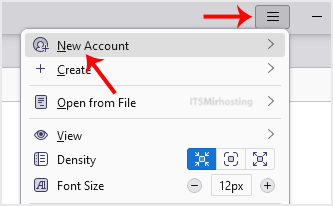
2. Click on the menu icon located on the right side of the screen and choose New Account. The drop-down menu will populate with new options.
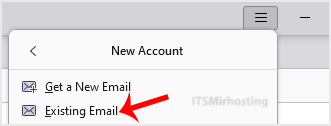
3. Click on Email.
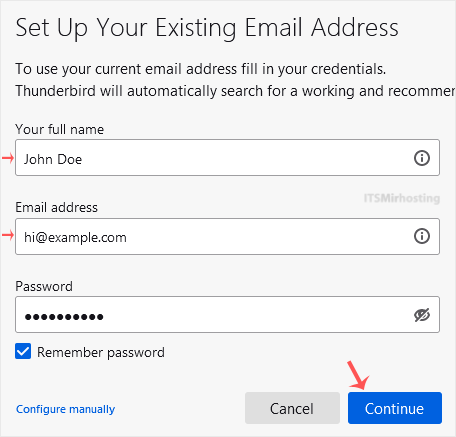
4. On the Account Setup page, enter your name and full email address, then clickContinue.
5. It may take a few minutes to configure your email account. After that, click on Continue.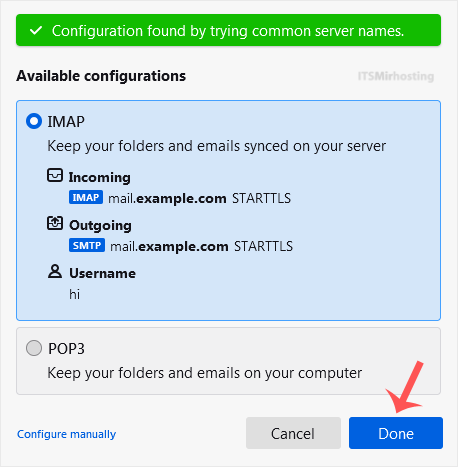
6. Enter your email accountpassword, then click Continue.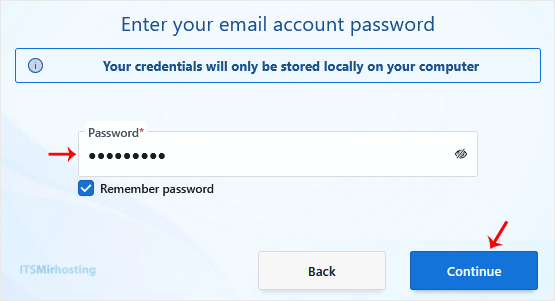
Congratulations, your email is set up successfully. You can now manage your email through Thunderbird.