Sometimes, we need to debug PHP. Hence, we need to enable display_errors or disable them for security reasons. You can do this using the CloudLinux Selector to enable or disable PHP's display_errors in Plesk.
1. Log in to your Plesk account.
2. Click on the Pull icon in the right sidebar and choose PHP Selector.
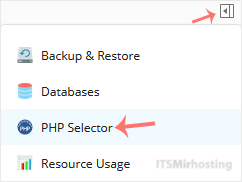
3.Under the Account Global Settings, go to the Optionstab.

Note: If it shows an error related to the Native PHP version, change to a non-Native PHP version first.
4. For enabling display_errors, tick mark it. For disabling it, uncheck it.
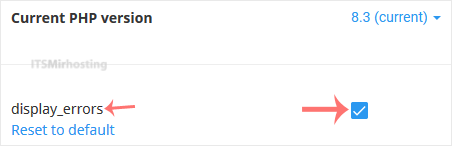
The message will show that the option is enabled or disabled.
You have successfully enabled or disabled the display_errors setting using the CloudLinux Selector in Plesk.