You can modify PHP post_max_size as per your needs using CloudLinux PHP Selector in cPanel.
1. Log in to your cPanel account.
2. In the Software section, click on Select PHP Version.

3.Under the Account Global Settings, go to the Optionstab.

Note: If it shows an error related to the Native PHP version, change to a non-Native PHP version first.
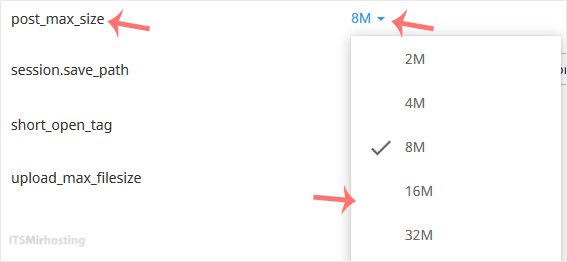
4. Look for post_max_size and click on the drop-down option displayed in front of it. Then choose the appropriate limit as per your requirements.
A message will appear stating that the Maximum Post Size has been changed.